Photo Enhance AI for Photographers and Studios
Photographers use UnblurPicture to save frames that are almost right: a wedding portrait with slightly missed focus, an event shot with motion blur, a crop that is too small for the 24 by 36 print the client now wants. Upload the file, pick a preset, choose 2x or 4x, and get a sharper, larger image with 300 DPI written in. Pro adds TIFF export, batches of 20 and a commercial license for client delivery, from $24 a month billed yearly.
The frame is good, the file is not
Every working photographer has a folder of keepers that are 5 percent short. The expression is perfect and the eyes are a touch soft. The bride is sharp and the flash caught her mid blink of motion. The client loves a candid and asks for it as a canvas, and your crop is 1,800 px wide.
Re-shooting is not an option for a wedding, a game or a corporate event. The usual fixes are slow: manual sharpening that adds halos, a desktop upscaler that needs a fast graphics card, or a retoucher at a per image fee. An AI photo enhance step in the browser fills the gap between "delivered as shot" and "outsourced".
AI photo enhancement built for client work
UnblurPicture rebuilds detail in one pass. It reduces blur and soft focus, sharpens eyes and hair without crunchy halos, cleans noise from high ISO frames and enlarges the image so it can be printed bigger.
- Presets for the cases photographers run into. Phone photo handles client supplied snapshots, Video still handles frames pulled from footage, Old print handles scanned family photos, Product photo and Real estate interior handle commercial work
- 2x on Personal up to 4,000 px, 4x on Pro and Studio up to 8,000 px on the long edge
- 300 DPI written into every PNG, JPG and TIFF export
- TIFF on Pro and Studio for print labs that ask for it
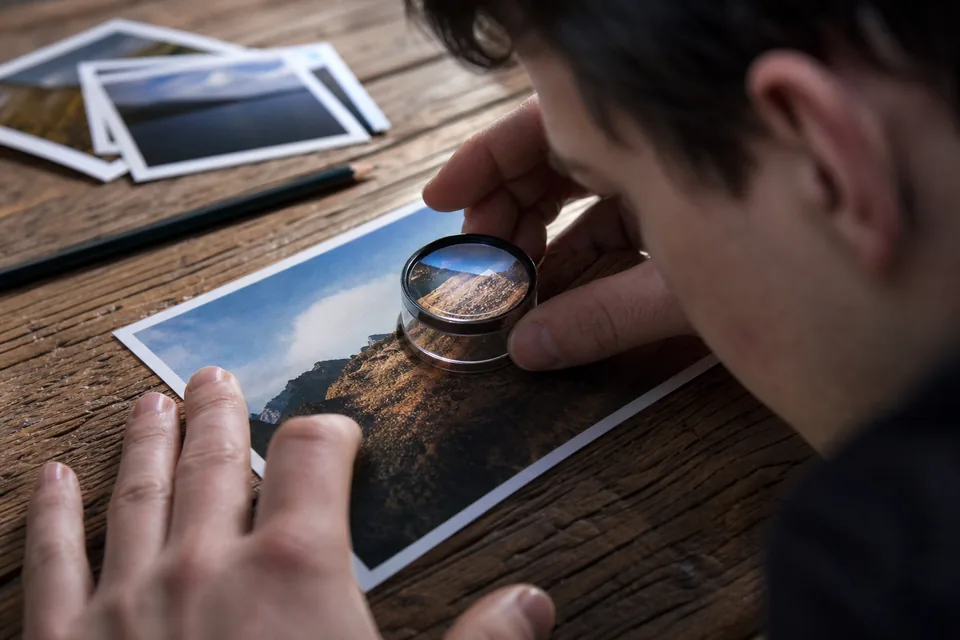
- Before and after slider with a loupe, so you check eyes and lashes at 100 percent before delivery
- Commercial license on Pro and Studio, which covers files you hand to paying clients
Your originals are never changed. You download a new file and keep the RAW or JPG you shot.
How much to enlarge for common print sizes
Labs print most work at 240 to 300 DPI for prints held in the hand and 100 to 150 DPI for large pieces viewed from a few feet. Use this table to see what a crop needs and which plan reaches it.
| Print size | Pixels at 300 DPI | Pixels at 150 DPI | Plan that covers it |
|---|---|---|---|
| 8 by 10 in | 2,400 by 3,000 | 1,200 by 1,500 | Personal |
| 16 by 20 in | 4,800 by 6,000 | 2,400 by 3,000 | Personal at 150 DPI, Pro at 300 DPI |
| 24 by 36 in canvas | 7,200 by 10,800 | 3,600 by 5,400 | Pro at 150 DPI |
| 30 by 40 in | 9,000 by 12,000 | 4,500 by 6,000 | Pro at 150 DPI |
A 24 megapixel camera already gives 6,000 by 4,000 px, so most uncropped frames only need help when they are soft or heavily cropped. For the pixel math behind each size, see how to increase DPI of image files.
Where photographers use it most
- Wedding and event photographers saving motion blurred or soft focus frames from long days, where there is no second take
- Portrait and school photographers fixing a batch of slightly soft headshots before the gallery goes out
- Real estate photographers with a few soft interior shots, see the real estate photo enhancer
- Sports and action shooters who crop hard to a distant subject and then need a usable size
- Studios that scan and restore client prints as an add on service, using the photo restoration software page for that work
Studios processing a whole gallery can upload up to 20 files per batch on Pro and 100 on Studio, returned as a ZIP. The bulk image upscaler page shows the workflow.
From a soft frame to a delivery file in four steps
- 1
Upload the JPG, PNG or exported TIFF of the frame
- 2
Pick the preset closest to the problem, then 2x or 4x
- 3
Zoom in with the loupe and check eyes, hair and text at 100 percent
- 4
Download a 300 DPI PNG, JPG or TIFF and deliver or send to the lab
Export from your editor at full quality first, since an upscaler can only work with what the file holds. One preview is free on your own photo, so you can judge the result before you choose a plan.
AI enhance vs desktop upscalers vs a retoucher
| UnblurPicture | Desktop AI software (Topaz and similar) | Outsourced retoucher | |
|---|---|---|---|
| Where it runs | In your browser | Your computer and graphics card | Their studio |
| Turnaround | About a minute per file | Minutes per file, depends on hardware | Hours to days |
| Cost model | Monthly plan, from $9 a month billed yearly | Yearly license, see our Topaz alternative comparison | Per image |
| Control | Presets, 2x or 4x, loupe check | Many manual sliders | Full manual work |
| Best for | Quick rescue and enlargement of client frames | Heavy local workflows with RAW files | Hero images and complex retouching |
If you already own a desktop upscaler and a strong computer, keep using it for RAW workflows. A browser tool wins when you are traveling, on a laptop, or want a result without installing anything.
What AI enhancement will not do
It cannot fix a frame that missed focus by a lot. Heavy motion blur on a face can be improved but not fully recovered, and a very small crop will gain size, not true detail. Always check eyes at 100 percent before delivery, and keep the original. For client work, tell the client the file was enlarged and enhanced if it was heavily rescued.
Plans for photographers and studios
Yearly prices save 50 percent. Monthly billing is also available.
| Plan | Price | Images per month | Max output | License |
|---|---|---|---|---|
| Personal | $9/month billed yearly ($108/yr) or $19 monthly | 40 | 2x, up to 4,000 px | Personal only |
| Pro | $24/month billed yearly ($288/yr) or $49 monthly | 120 | 4x, up to 8,000 px, TIFF, batch of 20 | Commercial |
| Studio | $74/month billed yearly ($888/yr) or $149 monthly | 360 | 4x, batch of 100, API, 3 seats | Commercial |
Files delivered to paying clients count as commercial use, which starts on Pro. Details are on the pricing page.
Photo enhance AI questions
What is the best AI photo enhancer for photographers?
It depends on your workflow. Desktop tools suit RAW heavy work on a strong computer. A browser tool such as UnblurPicture suits quick rescue of soft or small frames, with presets, 4x output up to 8,000 px, TIFF and a commercial license. Test one of your own soft frames before you pay for any of them.
Can AI fix a blurry photo from a wedding or event?
Often yes for mild blur. Slight missed focus and small motion blur can be sharpened clearly, especially on faces. Heavy motion blur is improved but not fully recovered. Check the eyes at 100 percent before delivering, and keep the original file.
Can I use AI enhanced photos for paying clients?
Yes, on a plan with a commercial license. On UnblurPicture, Pro and Studio include it for client delivery. Personal covers personal photos only.
How do I enlarge a photo for a big print without losing quality?
Upscale the image so its pixel size reaches the print size in inches times 150 to 300, depending on viewing distance. A 3,000 px crop enlarged 4x gives 12,000 px on Pro, capped at 8,000 px on the long edge. Check the loupe preview before sending it to the lab.
Does it work on a whole gallery?
Yes. Pro takes 20 files per batch and Studio takes 100, returned as a ZIP, so a gallery of soft frames can run in a few batches.
Save the frame before the client sees it
Upload one soft or small photo, check the result in the loupe, and choose a plan only if it is the file you would deliver.