Upscale Image for Large Format Printing and Banners
A customer sends a 1,200 px photo and wants it on a 4 foot banner. Upload it, upscale it 2x or 4x and export a PNG, JPG or TIFF up to 8,000 px on the long edge, with the DPI written in. Large format prints are viewed from a distance, so 8,000 px is enough for a 6 foot wide banner at about 110 DPI, which is the range most wide format printers accept. Pro and Studio include the commercial license for customer work.
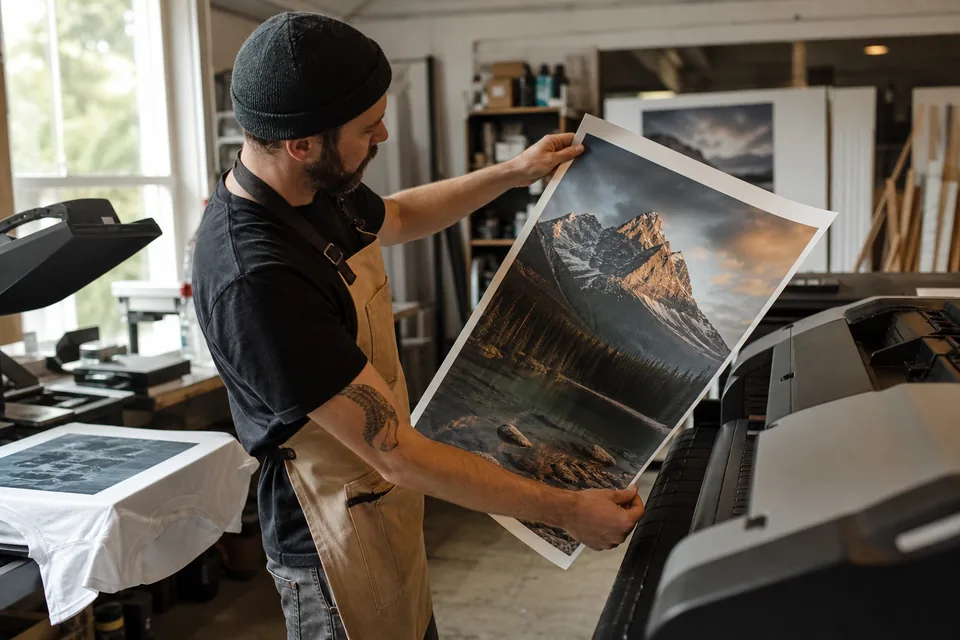


Why customer files fail on large prints
Wide format printers are forgiving about DPI and unforgiving about pixels. A banner at 72 DPI is fine from ten feet, but only if the file has enough pixels to start with. Customers send what they have: a phone photo, a web logo, a Facebook cover, a screenshot from a site. At 4 feet wide, a 1,200 px file is stretched to about 25 DPI, and the print shows blocks and soft edges.
The usual fixes cost time. Asking for a better file stalls the order. Tracing a logo as vector takes a designer. Stretching in an editor makes the file bigger but not sharper. An AI upscale rebuilds edges and texture while it enlarges, so the job can go to the printer the same day.
Upscale customer files before they reach the printer
UnblurPicture enlarges and sharpens in one pass and writes a print DPI into the export.
- 2x on Personal up to 4,000 px, 4x on Pro and Studio up to 8,000 px
- Cleans compression blocks from web images and soft edges from phone photos
- PNG, JPG or TIFF export, TIFF on Pro and Studio
- Batches of 20 on Pro and 100 on Studio, returned as a ZIP, for a week of orders
- Before and after slider with a zoom loupe for checking lettering and edges
- Commercial license on Pro and Studio for files you print for customers
Pixels needed at large format viewing distances
Large format is judged by viewing distance. Use this table to see the pixels each size needs and what an upscale reaches.
| Print width | Typical viewing distance | Target DPI | Pixels needed (long edge) |
|---|---|---|---|
| 24 in poster | 2 to 3 ft | 200 | 4,800 px |
| 36 in poster | 3 to 5 ft | 150 | 5,400 px |
| 4 ft banner | 6 to 10 ft | 100 | 4,800 px |
| 6 ft banner | 10 ft and more | 100 | 7,200 px |
| 8 ft trade show wall | 10 ft and more | 75 | 7,200 px |
A 2,000 px customer file upscaled 4x reaches 8,000 px, which covers every row above. A 1,000 px file reaches 4,000 px at 4x, enough for a 24 in poster at 165 DPI or a 4 ft banner at about 80 DPI. For the DPI math itself, see increase DPI of image.
Who uses it to rescue orders
- Sign and banner shops that get low resolution art from walk in customers
- Print brokers and reseller sites that cannot ask every buyer for a better file
- Trade show and event printers working from brand logos pulled from websites, see upscale logo
- Photographers selling wall size prints from older or cropped frames
- Real estate teams printing yard and window signs from listing photos, see real estate photo enhancer
Shops that price the physical sign can also use sign estimating software for materials and labor.
From a small customer file to a print ready file in four steps

- 1
Upload the largest copy the customer has
- 2
Pick the preset closest to the image, such as Phone photo or Product photo, then 2x or 4x
- 3
Zoom to 100 percent and check edges and lettering
- 4
Download the file and send it to the RIP or the print queue
It takes about a minute per file, and one preview on a real customer file is free before you pay.
Upscale vs redraw vs ask the customer
| UnblurPicture | Redraw as vector | Ask for a new file | |
|---|---|---|---|
| Time per file | About a minute | Hours | Hours to days |
| Works for photos | Yes | No | Yes |
| Keeps customer's look | Yes | Often changes | Yes |
| Cost | From $9 a month billed yearly | Designer fee per job | Lost or delayed order |
Vector redraw is still the best option for a simple logo that will be used for years. For one off orders and photos, an upscale is faster and cheaper.
What an upscale will not fix
It keeps what is in the file. A 300 px thumbnail will improve but will not be crisp on a 6 foot banner viewed up close. Text in small web images can come out soft, so proof lettering at 100 percent and tell the customer when a redraw is the right call. The customer must own the rights to the image, the commercial license covers the file we return, not someone else's artwork.
Plans for print shops
Yearly prices save 50 percent. Monthly billing is also available.
| Plan | Price | Images per month | Max upscale and output | For business use |
|---|---|---|---|---|
| Personal | $9/month billed yearly ($108/yr) or $19 monthly | 40 | 2x, up to 4,000 px | Personal license only |
| Pro | $24/month billed yearly ($288/yr) or $49 monthly | 120 | 4x, up to 8,000 px, TIFF, batch of 20 | Commercial license |
| Studio | $74/month billed yearly ($888/yr) or $149 monthly | 360 | 4x, batch of 100, API, 3 seats | Commercial license |
Printing for customers is business use, which starts on Pro. Details are on the pricing page.
Large format upscaling questions
How do I upscale an image for large format printing?
Upload the largest copy of the file, choose 2x or 4x and export. A 2,000 px image upscaled 4x on UnblurPicture Pro becomes 8,000 px, enough for a 6 foot banner at about 110 DPI. Then send the file to your printer at the final size.
What resolution is best for large prints?
It depends on viewing distance. Posters seen from 2 to 3 feet want 150 to 200 DPI, banners seen from 6 to 10 feet look fine at 100 DPI, and trade show walls can go to 75 DPI. Multiply the DPI by the print width in inches to get the pixels you need.
Can I make a small image big enough for a banner?
Within limits. An AI upscale can take a clean 1,000 to 2,000 px image up to 4,000 to 8,000 px with sharp edges. Very small or heavily compressed files improve but cannot gain detail they never had, so check the zoomed preview before printing.
Is 72 DPI enough for a banner?
It can be, if the pixel count matches the size. A 4 foot banner at 72 DPI needs about 3,500 px across. What matters is total pixels for the final size, not the DPI tag, so an upscale is what fixes a file that is too small.
Do I need a commercial license to print customer files?
Yes, if you charge for the print. UnblurPicture Pro and Studio include a commercial license for the files you export. Personal covers personal use only.
Print the order without asking for a new file
Upload a customer file, see the upscaled result next to the original and pick a plan only if it holds up.