Upscale Image for Etsy Wall Art Print Files
To sell printable wall art on Etsy you need one file that holds up at every size you list, from 5x7 up to 24x36 inches. Upload your design, upscale it 2x or 4x and export a 300 DPI PNG, JPG or TIFF up to 8,000 px on the long edge. A 2,400 px design becomes 8,000 px on Pro, enough for 24x36 at about 220 DPI, with a commercial license so you can sell the prints and digital downloads.
Why buyers leave one star reviews on wall art downloads
Printable wall art sells by size. Shoppers pick 8x10 or 16x20, send the file to a print shop and get a soft, pixelated poster. The review says "low quality", and it lands on your listing, not on the printer.
Most of these files started small. An AI render at 1,024 or 2,048 px, a painting photographed on a phone, a vintage illustration scanned at low resolution, a watercolor exported from a design app at screen size. They look fine on a monitor and fall apart at 24x36 inches, which needs 7,200 px at 300 DPI or 4,800 px at 200 DPI.
Stretching the canvas in an editor only adds pixels. Rebuilding the detail while enlarging is what keeps brush strokes, line art and text sharp.
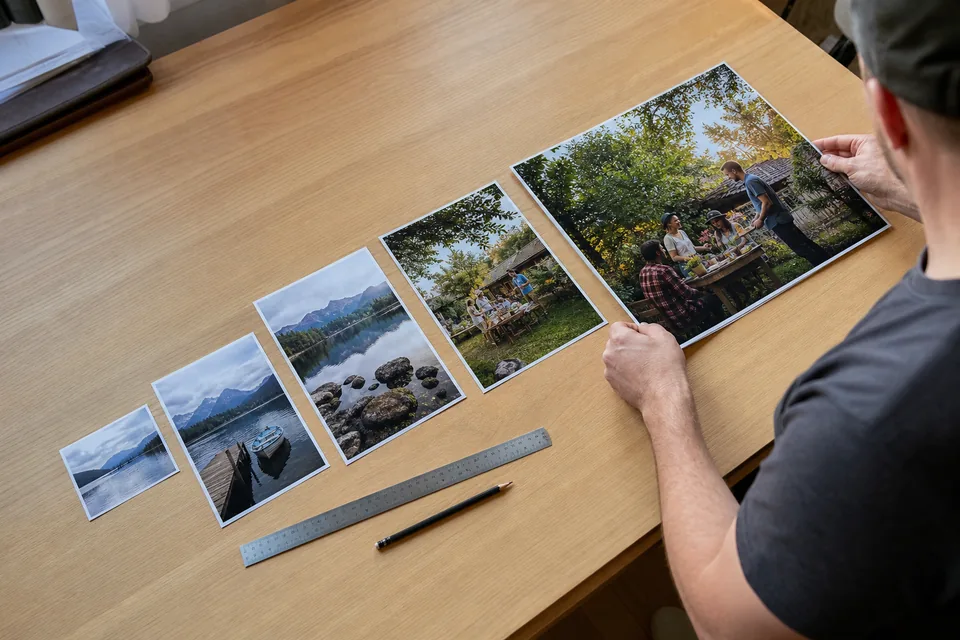
Upscale wall art to every print size you list
UnblurPicture enlarges and sharpens in one pass, then writes the print DPI into the export.
- 2x on Personal up to 4,000 px, 4x on Pro and Studio up to 8,000 px
- Cleans blur, compression noise and soft edges on illustrations, photos and AI art
- 300 DPI in every export, TIFF for print on Pro and Studio
- Batches of 20 on Pro and 100 on Studio, returned as a ZIP, so a whole collection runs in one go
- Before and after slider with a zoom loupe to check line art and lettering
- Commercial license on Pro and Studio for files you sell
Pixels needed for the standard Etsy print sizes
Most sellers list a pack of ratios. This table shows the long edge needed and the plan that reaches it.
| Print size | At 300 DPI | At 200 DPI | Plan that covers it |
|---|---|---|---|
| 5x7 in | 2,100 px | 1,400 px | Personal |
| 8x10 in | 3,000 px | 2,000 px | Personal |
| 11x14 in | 4,200 px | 2,800 px | Pro for 300 DPI |
| 16x20 in | 6,000 px | 4,000 px | Pro |
| 18x24 in | 7,200 px | 4,800 px | Pro |
| 24x36 in | 10,800 px | 7,200 px | Pro at 200 DPI |
A 2,000 px render upscaled 4x reaches 8,000 px, which covers everything up to 18x24 at about 330 DPI and 24x36 at about 220 DPI. Poster prints viewed from a few feet look good at 200 DPI. For banners and signs, see upscale image for large format printing. For the DPI math behind it, see increase DPI of image.
Who uses it to fill a print shop
- Etsy and Shopify sellers of printable wall art, nursery prints and quote posters
- Print on demand sellers who connect a design to canvas, framed prints and posters
- AI art creators who sell downloads and need more than the 1,024 px a generator returns, see the Midjourney upscaler
- Artists who photograph originals on a phone and sell reproductions
- Shops that sell digital bundles of many designs at once, which is where bulk upscaling pays off
From a small design to a full size set in four steps
- 1
Upload the largest version of the design you have
- 2
Pick Product photo for flat art or Phone photo for a photographed original, then 2x or 4x
- 3
Zoom to 100 percent and check lines, lettering and fine texture
- 4
Download the 300 DPI file and build your listing sizes from it
It takes about a minute per file, and one preview on your own design is free before you pay.
Upscaler vs vector redraw vs asking the customer to resize
| UnblurPicture | Redraw as vector | Sell only small sizes | |
|---|---|---|---|
| Time per design | About a minute | Hours or days | None |
| Keeps your look | Yes | Often changes | Yes |
| Works for photos and painted art | Yes | Poorly | Yes |
| Sizes you can list | Up to 24x36 | Any | 5x7 to 8x10 |
| Cost | From $9 a month billed yearly | Designer fee per design | Lost sales on larger sizes |
Large prints sell for more, so each size you can safely list is more revenue per design. Selling only small sizes avoids complaints and leaves that money behind.
What an upscale will not fix
It keeps what is in the file. A 500 px thumbnail will improve but will not become a gallery quality poster. Start from the largest copy you have. And the design must be yours to sell, the commercial license covers the file we return, not someone else's artwork.
Plans for wall art sellers
Yearly prices save 50 percent. Monthly billing is also available.
| Plan | Price | Images per month | Max upscale and output | For business use |
|---|---|---|---|---|
| Personal | $9/month billed yearly ($108/yr) or $19 monthly | 40 | 2x, up to 4,000 px | Personal license only |
| Pro | $24/month billed yearly ($288/yr) or $49 monthly | 120 | 4x, up to 8,000 px, TIFF, batch of 20 | Commercial license |
| Studio | $74/month billed yearly ($888/yr) or $149 monthly | 360 | 4x, batch of 100, API, 3 seats | Commercial license |
Selling files or prints counts as business use, which starts on Pro. Details are on the pricing page.
Upscale image for Etsy questions
How do I make an image high resolution for Etsy wall art?
Upscale the largest copy of the design 2x or 4x and export at 300 DPI. A 2,000 px render upscaled 4x on UnblurPicture Pro becomes 8,000 px, enough for 18x24 inches at 300 DPI. Then build each listing size from that master file.
What resolution should Etsy printable wall art be?
Aim for 300 DPI at the largest size you list. That is 3,000 px for 8x10, 6,000 px for 16x20 and 7,200 px for 18x24. Posters viewed from a distance look fine at 200 DPI, so 24x36 needs about 7,200 px.
Can I upscale AI art to sell on Etsy?
Yes, if the generator's terms allow commercial use and you own the rights to what you sell. An AI upscale takes a 1,024 or 2,048 px render up to 8,000 px with clean edges. Check Etsy's current rules on AI generated items and disclose as required.
Will an upscaled image look blurry when printed?
Within limits it prints sharp. The AI rebuilds edges and texture as it enlarges, so a clean 2,000 px file can go 4x. A very small or heavily compressed file improves but cannot gain detail it never had, so check the zoomed preview before listing.
Do I need a commercial license to sell upscaled art?
If you sell the prints or downloads, yes. UnblurPicture Pro and Studio include a commercial license for the files you export. Personal covers personal use only.
List every size without a blurry review
Upload one design, upscale it to print size and see the before and after before you pick a plan.